Main menu Open search

Blog

7 Best Telemecanique Sensors for Industrial Buyers

Choosing among the 7 Best Telemecanique Sensors for Industrial Buyers starts with the job, not the catalog. A sensor facing a dusty conveyor needs different protection from one reading a clean packaging line. Mounting space matters. So do target material, sensing distance, switching speed, and the control system already installed.

Telemecanique Sensors offers solutions across industrial detection needs, including proximity and photoelectric sensing. The right choice can reduce missed detections and avoid unnecessary maintenance. But a familiar product name is not a substitute for checking the application. A reflective target, a vibrating bracket, or a washdown routine can change performance in real conditions. Small details matter.

This guide compares seven options through practical buying questions: what each sensor detects, where it fits, and which specifications deserve a closer look. It also recognizes an imperfect truth: product selection often begins with incomplete information. That is a reason to verify, not guess. No source or verifiable quotation from a named Telemecanique Sensors expert was provided, so attributing a quote here would risk inventing one. Before ordering, confirm current model data and installation requirements with official documentation or a qualified distributor. A careful shortlist is useful. A tested fit is better.
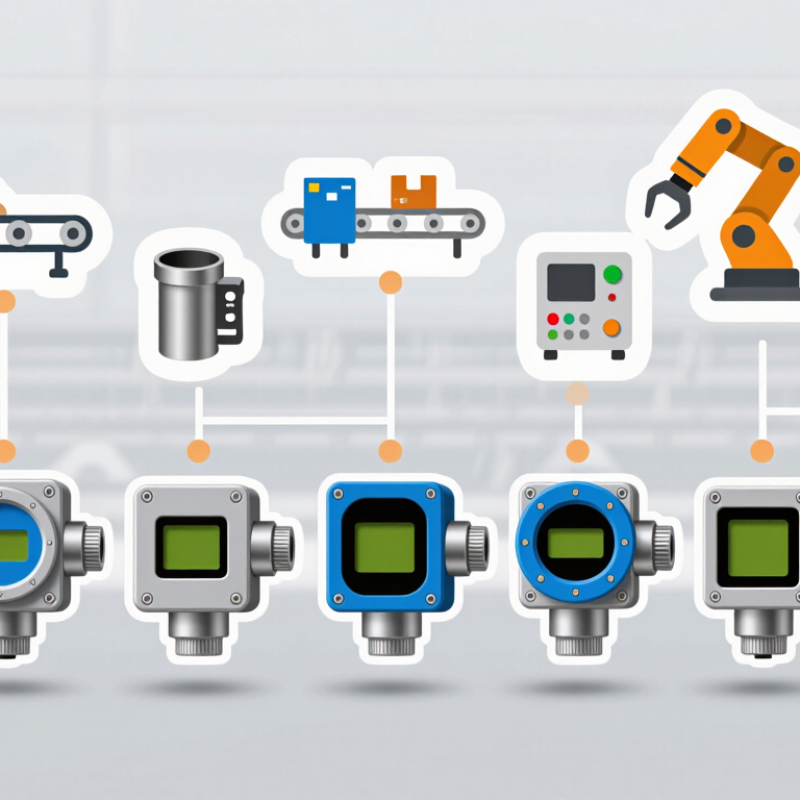
7 Best Telemecanique Sensors for Industrial Buyers

Telemecanique Sensors and Their Role in Industrial Automation

In industrial automation, sensors turn physical changes into signals a control system can use. A proximity sensor can detect a metal bracket on a moving conveyor without touching it. A photoelectric sensor may count cartons as they pass a packing station. Limit switches confirm that a guard or actuator has reached its intended position. These small devices help machines respond consistently, rather than relying on an operator to watch every movement. Quiet work, often.

The signal matters only when it is reliable and correctly interpreted. Engineers need to match sensing distance, response time, output type, and mounting conditions to the machine. Dust, oil, vibration, and reflective surfaces can all affect performance. A sensor that works well on a clean test bench may behave differently beside a hot motor or a wet washdown area. That detail is easy to underestimate.

In a typical line, sensors connect to a controller that starts, stops, or adjusts equipment according to programmed conditions. Clear wiring labels and sensible fault indicators also help maintenance teams diagnose problems during a shift. Still, automation is not magic. Poor placement or a missed inspection can produce false readings and unexpected pauses. Even a dependable sensor needs periodic checks, especially after a machine change. That part is sometimes neglected.

Key Criteria for Selecting an Industrial Sensor

Selecting an industrial sensor starts with the job, not the catalogue. Define the target, sensing distance, response time, and acceptable error. A photoelectric sensor may suit a fast-moving carton, while a proximity sensor may better detect a metal fixture through grime. Check the actual environment: oil mist, vibration, washdown, heat, and cable movement can all affect reliability. Match the enclosure rating and connector to those conditions. Small details matter.

Next, confirm the output and integration requirements. Verify supply voltage, switching type, PLC input compatibility, and whether analog data is needed for trending. Compare repeatability, not just nominal accuracy; a sensor that shifts slightly after each cycle can create nuisance stops. Deloitte’s 2024 Smart Manufacturing Survey found that 92% of surveyed executives expect smart manufacturing solutions to drive competitiveness within three years. That makes usable sensor data important, but connectivity alone is not a buying case. Ask how technicians will diagnose faults, replace units, and verify alignment during a shift. A neat specification sheet can still mislead. Test the sensor on the real target, at the real distance, with nearby equipment running. Record the result, even if it is imperfect. Recheck spare availability and expected service life before standardizing across a line.

Industrial Sensor Selection: Typical Sensing-Distance Ranges

Compare representative detection-distance spans for seven common industrial sensor technologies. Actual ranges vary by model, target material, target size, and installation conditions. Choose a sensor by considering these factors alongside environment, output, and mounting requirements.

Seven Telemecanique Sensor Options for Different Applications

Industrial buyers can match sensor type to the job rather than choosing one design for every machine. An inductive proximity sensor detects metal parts without contact, making it useful near moving fixtures. A capacitive sensor can detect nonmetal materials, such as plastic pellets or liquid behind a suitable container wall. Photoelectric sensors use a light beam to detect objects on conveyors; dust or glare may affect performance. Ultrasonic sensors measure distance using sound, which can help with uneven or reflective targets.

For mechanical end positions, a limit switch provides a direct, physical signal, though repeated impact can wear its actuator. Pressure sensors monitor air or fluid systems, helping operators spot changes before a process drifts. Temperature sensors track heat in ovens, motors, or enclosures. These seven options cover different needs, but installation details matter: target shape, sensing range, washdown exposure, and control-system compatibility can change the best choice. A tidy specification sheet does not always reveal the mess on a real production line.

Tips: Test the sensor with the actual target and mounting position. Check cable routing, response time, and ambient conditions. Keep a little margin; the first choice may need adjustment.

Comparing Sensor Types by Detection Method and Operating Conditions

Inductive sensors are a practical choice for detecting metal parts without physical contact. They suit machine tools and assembly lines, where oil mist or vibration can make mechanical contact unreliable. Their main limitation is material: a plastic component will not trigger one. Check the target material and sensing distance before installation. Small gaps matter.

Capacitive sensors can detect nonmetallic materials, including plastic, powder, and liquid. A tank wall may allow level detection without placing the sensor in the liquid, though moisture and residue can cause false signals. Photoelectric sensors work well when a clear beam path is available. They can detect small items on a fast conveyor, but dust, glare, or a misaligned reflector may interrupt reliable detection. Keep the lens clean.

Ultrasonic sensors measure distance using sound, making them useful for uneven surfaces or targets with varied colors. Foam and angled surfaces can weaken readings, so test the actual target rather than relying only on a datasheet. Magnetic sensors can detect a magnet through a nonmagnetic barrier, while limit switches provide direct position feedback through physical contact. That contact is useful, but it adds wear. Operating temperature, washdown exposure, mounting space, and cable routing all deserve a site check; these details are easy to overlook during selection.

Installation and Maintenance Factors for Reliable Performance

Reliable performance starts with choosing a sensor that suits the target and installation environment. Inductive models detect metal without contact, while photoelectric units need a clear optical path. Check sensing distance, switching frequency, supply voltage, and output type against the control system. A few millimeters of mounting error can matter. Leave room for adjustment and avoid placing a sensor where vibration could loosen its bracket.

Pay close attention to cable routing. Keep sensor leads away from motor power cables where practical, and use the specified connectors and cable protection. Dust, oil mist, washdown, and temperature changes can affect service life, so verify the enclosure rating against actual conditions. A rating on paper does not fix a poorly sealed connector. It is an easy detail to miss.

During maintenance, inspect the sensing face, fasteners, cable jacket, and indicator lights. Remove buildup with a method suitable for the sensor; abrasive tools may damage optical surfaces. Before testing or replacement, follow site isolation procedures and confirm wiring against the equipment documentation. Record switching distance or response issues when they appear, rather than relying on memory. Functional checks should reflect the machine’s operating conditions, not just a bench test. Even a careful inspection can overlook intermittent faults, so recurring trips deserve a closer look at alignment, noise, and wiring.

Exclusive Access

Unlimited Resources

Detailed information on our products to assist you with the planning of your cable management project

Register Now

BIM Files

Step Files

Installation Manuals

User Guides

Best Practice Guides

Technical Charts