

China Best PCAP Touch Screen Suppliers for Buyers?
Choosing a China-based PCAP touch screen supplier involves more than comparing unit prices. A Pcap Touch solution must suit the display, enclosure, software, and conditions where it will operate. A kiosk near a bright window may need different optical performance from a control panel used indoors. Small details matter.
Buyers can compare suppliers by reviewing their engineering support, production capabilities, quality checks, and communication. Ask for clear specifications covering cover-glass thickness, touch controller, interface, operating temperature, and bonding method. If users may wear gloves or encounter moisture, request a sample and test those conditions directly. A polished datasheet is useful, but it cannot replace hands-on evaluation. That is an easy point to overlook.
Before placing a large order, clarify customization limits, sample lead times, minimum order quantities, inspection procedures, and warranty support. Request relevant test records and confirm that they match the proposed model, not a similar product. When possible, assess responsiveness during technical discussions; vague answers about integration can create delays later. No supplier is the right fit for every project. Even a capable manufacturer may not offer the best combination of cost, schedule, and service for a particular buyer. Comparing evidence, asking specific questions, and documenting agreed requirements can make sourcing decisions more dependable. Some uncertainty remains, especially before production begins, so a pilot order may reveal issues that documents miss.
Understanding PCAP Touch Screens and Their Applications
Projected capacitive (PCAP) touch screens sense changes in an electrical field when a finger approaches the glass. A transparent electrode layer and touch controller work together to locate one or more touch points. This enables familiar gestures, such as pinching to zoom or swiping through a menu. That feels natural.
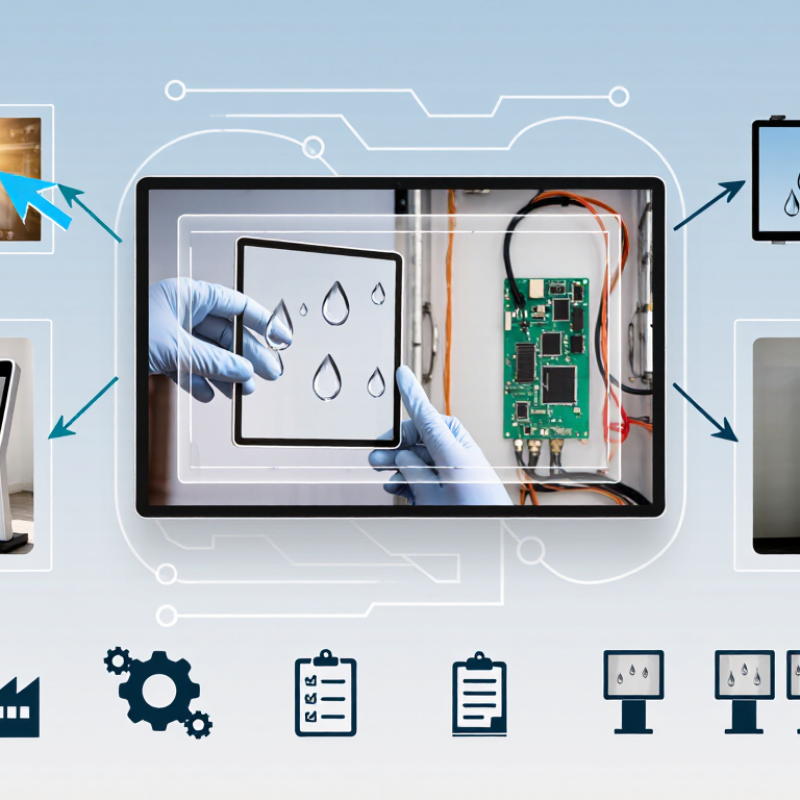
A sealed glass surface is easy to wipe and has no moving touch layer, making PCAP useful for public kiosks, retail terminals, and industrial control panels. In a factory, an operator might tap a large on-screen button while wearing work gloves. Glove support depends on the screen design and controller settings; it should be tested with the actual gloves. Water can also create unintended input. Not always.
PCAP systems suit applications that need clear images and responsive multi-touch, including medical equipment and vehicle displays. Designers should consider cover-glass thickness, bonding, brightness, and the expected environment. Thick protective glass may affect touch sensitivity, while bright lighting can reduce screen readability. A prototype test under real conditions often reveals issues that a specification sheet misses. I have seen teams focus on touch response and overlook reflections from overhead lights. It is a small detail, but it changes daily use.
| Buyer Evaluation Dimension | PCAP Touch Screen Facts | What Buyers Should Confirm with Suppliers | Common Applications |
|---|---|---|---|
| Touch technology | Projected capacitive (PCAP) screens detect changes in capacitance through a sensor layer. They are commonly designed to support multi-touch input. | Ask how many simultaneous touch points are supported and whether performance has been tested with the intended operating system and controller. | Interactive kiosks, point-of-sale terminals, industrial HMIs, and tablets |
| Screen size and aspect ratio | PCAP assemblies are available in a wide range of sizes and aspect ratios; the available choices depend on the panel, sensor, and product design. | Provide the active display area, overall dimensions, aspect ratio, resolution, and any bezel or mounting constraints. | Compact handheld equipment, control panels, self-service kiosks, and large-format displays |
| Cover lens | The front cover is commonly glass. Its thickness, edge treatment, coatings, and shape affect the mechanical design and touch performance. | Specify the required thickness, dimensions, surface finish, optical treatment, and any cutouts or printed borders. Request drawings for approval. | Retail terminals, public information displays, medical equipment, and factory controls |
| Glove and stylus operation | PCAP operation with gloves or passive styluses is design-dependent. Glove material and thickness, controller tuning, and cover construction can affect responsiveness. | Test with the actual glove type or stylus and the finished cover assembly; do not rely only on a general compatibility claim. | Healthcare interfaces, outdoor terminals, food-service equipment, and industrial workstations |
| Water and contamination response | Water, moisture, and contaminants can affect capacitive sensing. Rejection or continued operation under these conditions depends on the sensor design and controller tuning. | Define the expected exposure and test conditions. Confirm whether touch operation is required during moisture exposure and ask for documented test results. | Outdoor kiosks, transportation systems, wash-down environments, and public-access equipment |
| Optical performance | Brightness, reflections, haze, and readability depend on the display and cover stack. Optical bonding can reduce internal reflections, but the result depends on the assembly. | Request measurements or samples for the complete display assembly, including the cover, bonding method, and any anti-glare or anti-reflective treatment. | Outdoor displays, vehicle interfaces, retail signage, and high-ambient-light environments |
| Host interface and controller | Touch controllers commonly connect to host systems through interfaces such as USB or I²C; the supported interface depends on the controller and product. | Confirm the exact interface, connector and pinout, driver or HID requirements, firmware options, and compatibility with the target operating system. | Embedded systems, industrial computers, kiosks, and consumer electronics |
| EMI and electrical integration | Touch sensing can be affected by electrical noise from displays, power supplies, grounding, and nearby components. Performance depends on system integration. | Evaluate the touch screen in the intended enclosure with the actual display and electronics. Agree on grounding, cable routing, and test requirements. | Industrial controls, medical devices, vehicle systems, and equipment with switching power supplies |
| Mechanical integration | Mounting method, bezel design, panel flatness, and assembly tolerances can influence fit and touch behavior. | Review mechanical drawings, tolerance stack-up, adhesive or gasket details, and sample fit before production approval. | Control panels, instrument consoles, kiosks, and sealed front-panel assemblies |
| Environmental requirements | Operating temperature, storage temperature, humidity, shock, and vibration limits vary by component and finished assembly. | Set product-specific environmental requirements and obtain the supplier's specifications and relevant test reports for the proposed configuration. | Outdoor equipment, transportation, factory automation, and field-service devices |
| Quality and production readiness | Performance can vary with materials, assembly processes, and configuration. Qualification should use the intended production design. | Ask about inspection criteria, change control, traceability, sample approval, production testing, and documented quality procedures. | Products requiring repeatable performance across pilot and volume production |
| Customization and supply planning | Custom cover glass, sensor patterns, connectors, and controller settings may be possible, but can affect engineering time and supply planning. | Confirm customization limits, sample and tooling requirements, lead times, forecast assumptions, and the process for approving design changes. | OEM products, specialized instruments, branded enclosures, and long-life equipment programs |
Exclusive Access
Unlimited Resources
Detailed information on our products to assist you with the planning of your cable management project
Register Now
BIM Files

Step Files

Installation Manuals

User Guides

Best Practice Guides
