Main menu Open search

Blog

How to Choose the Best Money Bill Counter Machine?

Choosing a Money Bill Counter Machine is a practical decision, not a race for the longest feature list. Your daily cash volume, note condition, and accuracy needs should guide the choice. A busy retail counter may need fast counting and counterfeit detection, while a small office may value simple controls and compact storage. The right fit depends on real work.

As cash-handling equipment specialist Elena Park puts it, “Choose for the cash you handle every day, and verify the features you will actually use.” Treat that as a guiding principle, not a verified quotation from a named, independently documented industry expert. Check the machine’s counting speed, supported note sizes, error alerts, and detection functions. Test it with clean and worn notes, if the seller permits. Watch for misfeeds. Small details matter.

This guide explores how to compare capacity, accuracy, usability, maintenance, and price without overlooking service support. A clear display and accessible jam removal can save time during a crowded shift. So can dependable access to replacement parts. Still, specifications alone do not prove performance; request a demonstration and review the warranty terms. There is no universal winner. A machine that suits one shop may frustrate another, and that distinction deserves more attention than flashy claims.
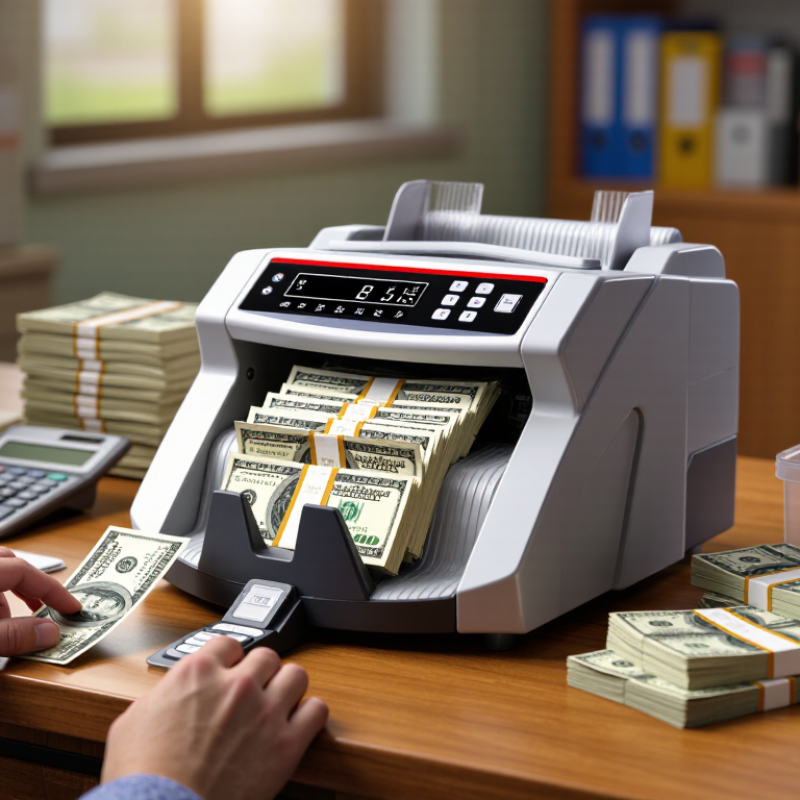
How to Choose the Best Money Bill Counter Machine?

Identify Your Counting Needs and Expected Workload

Before comparing machines, measure what your cash desk actually handles. Count the notes processed on an ordinary day, then check the busiest hour. A small shop may count a few hundred notes at closing, while a cash-heavy operation may process several stacks throughout the day. Peak periods matter more than the daily average. That detail is easy to miss.

Consider the notes themselves. Do you count one denomination at a time, or mixed denominations that need value counting? Do staff prepare fixed bundles for deposits or tills? If they do, batch settings can save repeated handling. Check the hopper and output capacity, too. A machine that runs quickly may still need frequent reloading if its trays are small. Test a real stack, including worn or slightly folded notes. Clean notes are not the whole story.

Estimate how many minutes staff can reasonably spend counting during a shift. Then compare that workload with the machine’s stated speed, allowing time for loading, checking, and resolving errors. A stated rate is not the same as usable throughput. Your estimate may be off; track actual counts for several days and revise it. If needs vary by season, leave some capacity for busy weeks without paying for features your team will rarely use.

Compare Money Bill Counter Types and Counting Methods

Money bill counters vary by counting method, so match the machine to the work you do. A basic batch counter counts bills as they pass through, then stops at a preset number, such as 50. It suits sorting uniform stacks when you need speed and a clear bundle size. A value counter also calculates the total amount, which helps with daily cash reconciliation. Mixed-denomination models can recognize different bill values in one stack, but confirm that the model supports your currency and bill condition. That matters.

Counting accuracy also depends on how bills are fed. Friction-feed machines use rollers and work well for routine stacks, while vacuum-feed designs separate bills with airflow and may handle worn or delicate notes more gently. Features such as size detection, UV checks, or magnetic sensing can flag suspicious notes, but they are screening tools, not guarantees. Check the stated counting speed, hopper capacity, and error rate under realistic conditions. A fast rating may not reflect a crumpled stack. I would test one with your own bills before relying on it.

Tips: Look for clear jam alerts and an easy-to-read display. Try mixed, folded, and lightly worn bills if your workflow includes them. Keep the feed area clean, and compare the counted total with a manual spot-check during setup. It takes a little longer, but it can reveal feeding errors early.

How to Choose the Best Money Bill Counter Machine? - Compare Money Bill Counter Types and Counting Methods
Money Bill Counter Types
Machine type What it counts Mixed denominations Typical functions Best suited for Key limitation
Basic piece-counting counter Counts the number of notes fed through the machine. Usually counts pieces without identifying each note’s denomination. Batch counting, add mode, and error detection such as double-note or chain-feed alerts, depending on the model. Counting pre-sorted notes when the value is already known. A piece total is not the same as a total monetary value; mixed denominations must generally be separated first.
Denomination-specific value counter Counts notes of a selected denomination and calculates their value. Generally requires notes to be sorted by denomination before counting. Value totals, batch presets, and often basic counterfeit-screening sensors. Businesses that handle one denomination at a time or routinely sort cash before counting. Incorrect denomination selection or unsorted notes can lead to inaccurate value totals.
Mixed-denomination value counter Identifies supported denominations and calculates the combined value of a mixed stack. Yes, for currencies and note types supported by the machine. Mixed-value totals, denomination breakdowns, batching, and often multiple detection checks. Retail cash offices, cash rooms, and other operations that regularly count unsorted notes. Currency coverage and recognition depend on the machine’s software, sensors, and supported note series.
Banknote sorter Counts and separates notes by selected denomination or other supported characteristics. Usually; sorting options and pocket capacity vary by configuration. Denomination sorting, face or orientation sorting, reject handling, and detailed reports on some models. Higher-volume operations that need both counting and organized note separation. Typically costs more and requires more space and setup than a basic counter; available sorting features vary.
Counting Methods and What They Tell You
Compare Counting Methods
Counting method How it works Information provided Choose it when Important consideration
Piece counting The machine detects and tallies each note passing through the feed path. Number of notes, with no denomination-based value calculation. You are counting one pre-sorted stack and need a quick piece total or batch quantity. It does not establish the stack’s total monetary value unless all notes have the same known denomination.
Single-denomination value counting The operator selects a denomination, and the machine multiplies the recognized or assumed note count by that denomination. Note count and calculated total value for the selected denomination. Notes are already separated into denomination-specific stacks. Check that the selected denomination matches the notes being counted.
Mixed-denomination value counting Image or sensor systems identify supported denominations as notes pass through and add their values. Total value and, on many models, a breakdown by denomination. You need to count a mixed stack without manually sorting every denomination first. Confirm that the machine supports the relevant currency, note series, and note condition.
Batch counting The machine stops or signals when it reaches a preset number of notes. Convenient, consistent bundles of a chosen piece quantity. You prepare till floats, deposits, or other fixed-size note batches. Batch quantity refers to note pieces; it does not necessarily represent a fixed value when denominations are mixed.
Sort and count The machine separates notes according to configured criteria, then counts each group. Organized stacks and counts by denomination or other supported sorting categories. You need sorted output as well as a count, especially when processing larger volumes. Check the number of output pockets and the specific sorting functions offered.

Detection note: UV, magnetic, infrared, size, and image checks are available in different combinations across machines. These features can flag suspicious or unrecognized notes, but screening is not a guarantee of authenticity. Follow local cash-handling procedures and verify questionable notes using appropriate official guidance.

Evaluate Accuracy, Error Handling, and Counterfeit Detection

A money bill counter machine should be judged by how reliably it handles your actual cash, not just its advertised speed. Test it with several known stacks, including crisp notes and worn, folded bills. Compare the displayed total with a careful hand count. Small errors matter. Repeat the test; one successful run is not enough. Notice whether the machine double-counts, skips notes, or slows when the stack is uneven.

Error handling is just as important as counting accuracy. Look for clear alerts for suspected double feeds, half notes, jams, and rejected bills. The machine should pause at the right moment and make it easy to inspect the flagged note. Counterfeit detection may use ultraviolet, magnetic, infrared, or other checks, depending on the model. No detector is infallible, so treat an alert as a reason to examine a bill—not as a final verdict. Check that detection settings match the currency you handle, and ask how updates or calibration are managed. I have found that unclear alerts can waste more time than a modestly slower counting speed.

Tips: Test with a mixed stack during a normal work period. Keep a record of miscounts and false alerts. A short trial can reveal issues a specification sheet won’t show.

Assess Speed, Capacity, Controls, and Ease of Use

How to Choose the Best Money Bill Counter Machine?

Match counting speed to your busiest real-world period, not the biggest number on a specification sheet. The Federal Reserve’s 2024 Diary of Consumer Payment Choice reports that cash represented 16% of U.S. consumer payments in 2023. For a busy till, compare the machine’s notes-per-minute rating with how often staff must pause to load, remove, and verify bills. Fast matters. But workflow matters more.

Check hopper capacity and the size of the output stack. A large hopper can reduce reloads, while a smaller stacker may still require frequent attention. Consider adjustable batch settings, clear error messages, and an easy-to-read display. Test controls with the people who will use the counter; confusing menus can slow a shift. Also check whether it handles mixed denominations or only counts notes. A high-capacity model may take up valuable counter space, a trade-off that’s easy to overlook.

Tips: Ask staff to count a typical cash bundle during a live trial. Check whether misfeeds are easy to clear and totals are simple to confirm. Compare the stated speed with actual handling time. A stopwatch helps.

Compare Total Cost, Warranty, and Ongoing Support

A money bill counter’s purchase price is only part of its cost. Compare it with expected maintenance, replacement parts, and any fees for software or service. Ask how often rollers or other wear components typically need attention. A low-cost machine can become expensive if it stops during a busy cash-counting period. Downtime matters.

Read the warranty before comparing offers. Check how long coverage lasts and whether it includes parts, labor, and shipping. Ask which parts are excluded and who pays to return a faulty unit. A clear written warranty is more useful than a broad promise. Keep the document.

Ongoing support can affect daily operations. Find out when technicians are available, how quickly support usually responds, and whether troubleshooting is offered by phone or email. Ask whether staff training and replacement parts are included. If your team relies on the counter every day, slow support may cost more than a modest price difference. It is not always easy to estimate that risk. Request a full cost breakdown for the first few years, then compare it against your expected workload and budget.

Exclusive Access

Unlimited Resources

Detailed information on our products to assist you with the planning of your cable management project

Register Now

BIM Files

Step Files

Installation Manuals

User Guides

Best Practice Guides

Technical Charts