

China Top 4x4 HDMI Matrix Switcher Manufacturers?
A 4x4 Hdmi Matrix Switcher can route four sources to four displays, but the right model depends on more than port count. In a meeting room, one laptop may feed a wall display while a second source serves a confidence monitor. At home, a game console, streaming player, and receiver may need flexible routing without visible signal drops. Resolution support, HDCP compatibility, EDID management, audio handling, control options, and warranty terms all deserve close attention.
A practical engineering principle is: “Test the complete signal path, not just the matrix.” This is an editorially written guideline, not a verified quotation from a named industry expert. A reliable expert attribution needs a source, and none was provided with the request. That detail matters: a made-up quotation would weaken a manufacturer comparison rather than strengthen it.
This guide examines China’s leading 4x4 HDMI Matrix Switcher manufacturers through product capability, integration support, quality control, and communication with buyers. Manufacturer pages can look impressive. The real test is whether a unit switches cleanly between actual sources and displays, including the older screen tucked into a control room. Specifications help, but they do not answer every question. Readers should confirm exact model features, firmware support, and test conditions directly with each supplier before making a shortlist.
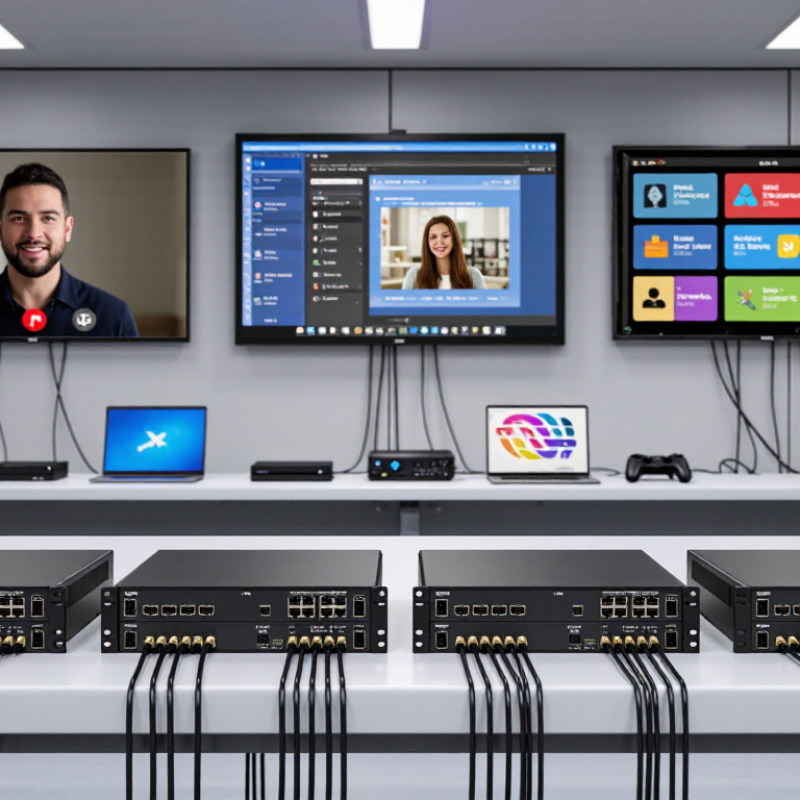
4×4 HDMI Matrix Switchers: Four Inputs Routed to Four Independent Displays
A 4×4 HDMI matrix switcher sends four input sources to four independent displays. Each screen can show a different source, or several screens can share one. In a control room, that might mean a laptop on display one, a camera feed on display two, and signage on the others. AVIXA’s 2023 Industry Outlook and Trends Analysis estimated global professional audiovisual revenue at $263 billion in 2023, forecasting $325 billion by 2028. The report tracks the wider AV market, not matrix-switcher sales, but its growth points to expanding multi-display needs.
Capacity matters. The HDMI Forum’s HDMI 2.0 specification supports up to 18 Gbps; HDMI 2.1 can reach 48 Gbps. A higher number alone does not guarantee stable 4K or HDR across every output. Check the switcher’s supported resolution, refresh rate, HDCP, and EDID behavior against every source and display. One overlooked detail: long cable runs can weaken a signal. That assumption is shaky. Test the actual setup, especially when displays have different capabilities. A matrix can route signals independently, but it cannot make incompatible devices agree.
China Top 4x4 HDMI Matrix Switcher Manufacturers? - 4×4 HDMI Matrix Switchers: Four Inputs Routed to Four Independent Displays
A specification guide to common 4×4 HDMI matrix switcher configurations. Each unit routes any of four HDMI sources to any of four displays, subject to its supported features.
| Specification | HDMI 1.4 Class | HDMI 2.0 Class | HDMI 2.0 with HDBaseT Extension | HDMI 2.0 with Audio Breakout |
|---|---|---|---|---|
| Input / output layout | 4 HDMI inputs; 4 HDMI outputs | 4 HDMI inputs; 4 HDMI outputs | 4 HDMI inputs; 4 receiver-linked display outputs | 4 HDMI inputs; 4 HDMI outputs |
| Routing behavior | Each output can select an input independently | Each output can select an input independently | Each output can select an input independently; extension requires compatible receivers | Each output can select an input independently |
| Typical maximum video format | Up to 4K at 30 Hz, depending on color format and device support | Up to 4K at 60 Hz; supported color depth and chroma format depend on bandwidth | Up to 4K at 60 Hz in supported configurations; format and distance depend on the extender system | Up to 4K at 60 Hz; supported color depth and chroma format depend on bandwidth |
| HDMI bandwidth class | Up to 10.2 Gbit/s for HDMI 1.4-class signaling | Up to 18 Gbit/s for HDMI 2.0-class signaling | HDMI source bandwidth is typically up to 18 Gbit/s; extension capability varies by system | Up to 18 Gbit/s for HDMI 2.0-class signaling |
| Copy protection | HDCP support varies by unit; check source and display compatibility | HDCP 2.2 support is commonly required for protected 4K content; verify the complete signal path | HDCP support must be maintained across the matrix, transmitter, receiver, and display | HDCP support varies; audio extraction does not remove source content protection |
| Audio handling | Embedded HDMI audio pass-through; supported formats vary | Embedded HDMI audio pass-through; supported formats vary | Audio is carried through the compatible extension link; format support varies | Embedded audio pass-through plus separate audio outputs on models that provide them |
| EDID management | May include fixed or selectable EDID modes | Commonly includes selectable EDID or display-copy modes | EDID management may be available; connected receivers and displays affect negotiation | Selectable EDID can help coordinate video and extracted audio formats |
| Typical control options | Front-panel buttons; some models add an infrared remote | Front panel, infrared remote, and/or RS-232; network control varies | Front panel, RS-232, and/or network control; options vary | Front panel, infrared remote, RS-232, and/or network control |
| Common installation use | Small rooms with nearby sources and displays | Meeting rooms, classrooms, and control rooms using 4K displays | Installations where displays are farther from the equipment rack | Systems that need separate audio feeds for amplifiers or sound systems |
Note: These are general interface classes, not specifications for individual products. Actual resolution, refresh rate, cable distance, HDCP behavior, audio formats, and control features depend on the specific matrix switcher and connected equipment.
Exclusive Access
Unlimited Resources
Detailed information on our products to assist you with the planning of your cable management project
Register Now
BIM Files

Step Files

Installation Manuals

User Guides

Best Practice Guides
